 Tamil Hymns
Tamil Hymns · தமிழ் கீதங்கள்
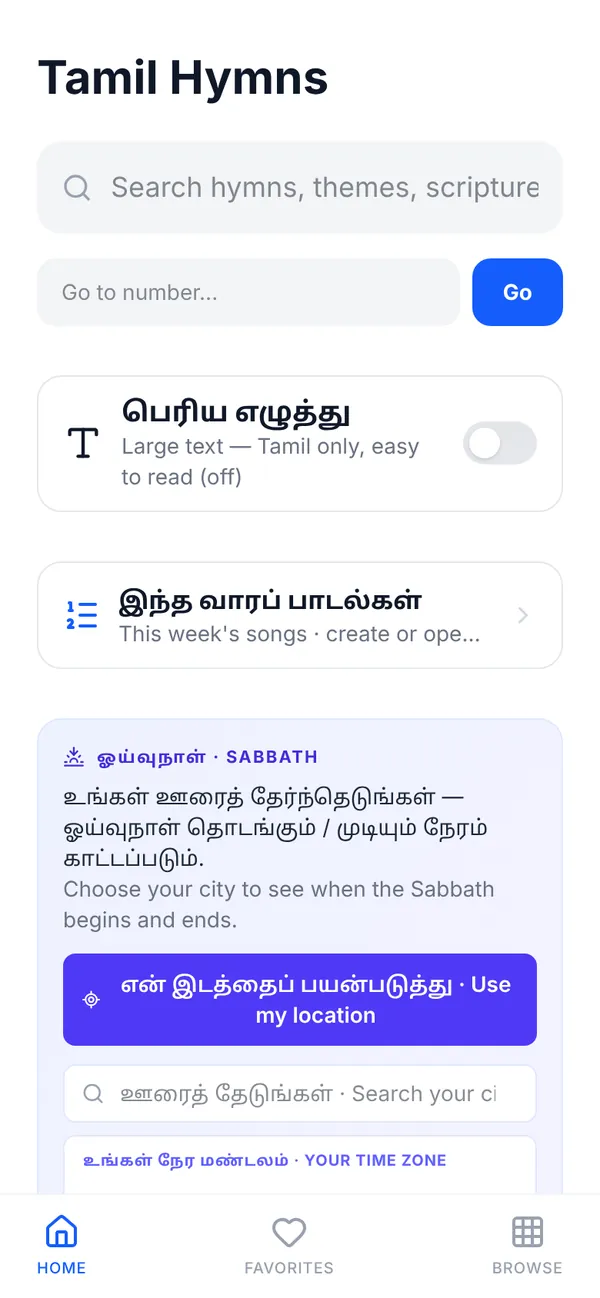
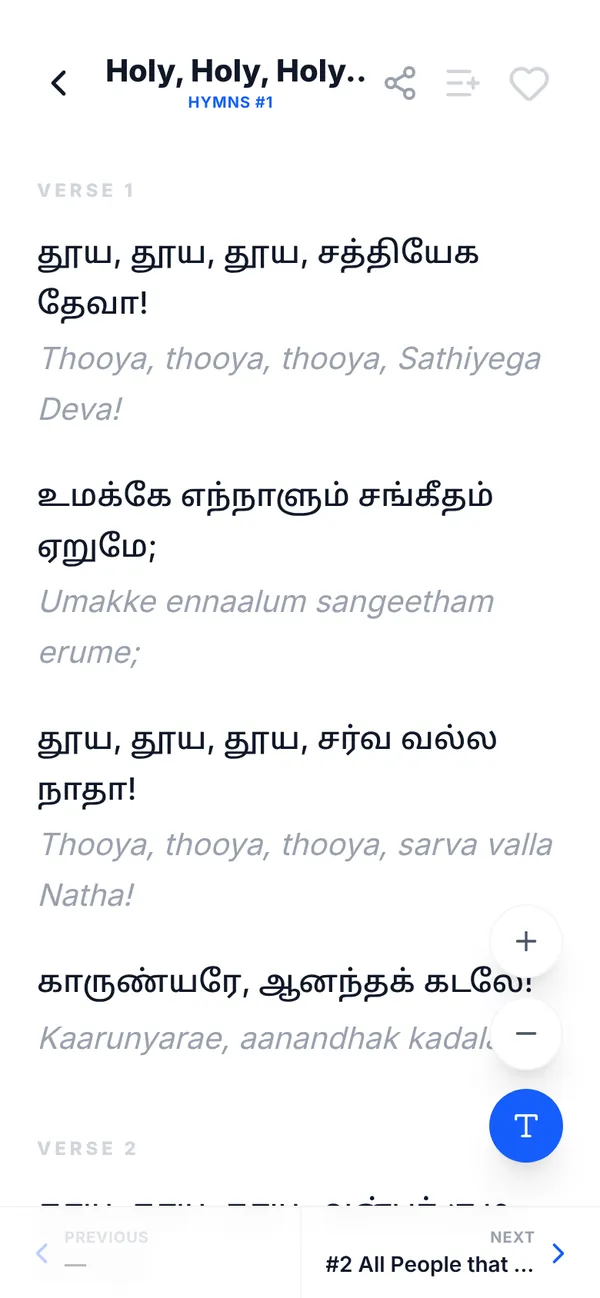
A free Tamil SDA hymnal app — 1000+ songs from சீயோன் இனிய கீதங்கள் (Songs of Zion) and திருமறைப் பாடல்கள் with English transliteration, church projection, and song lists you share by QR code.
Church projection · திரையில் காட்ட
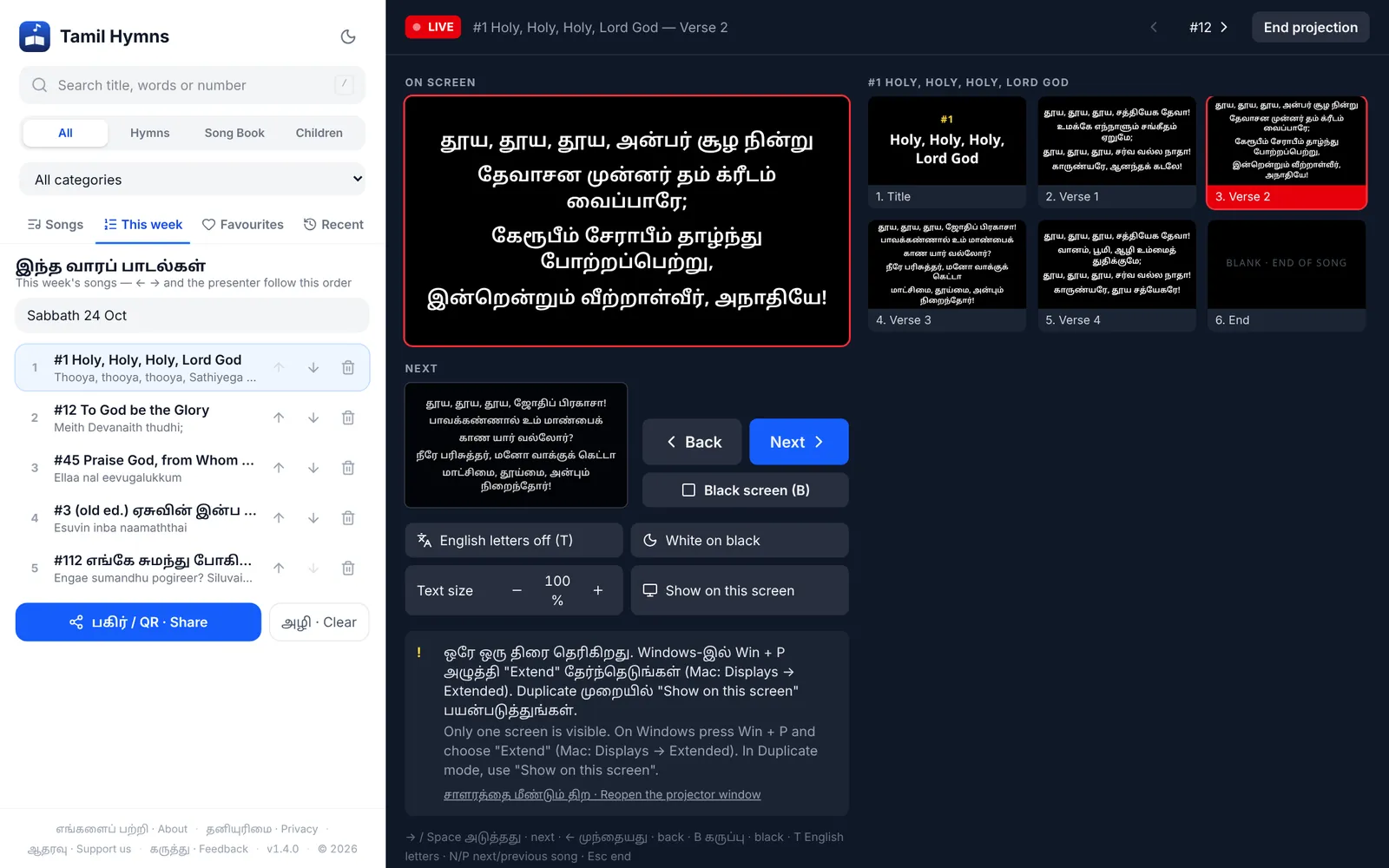
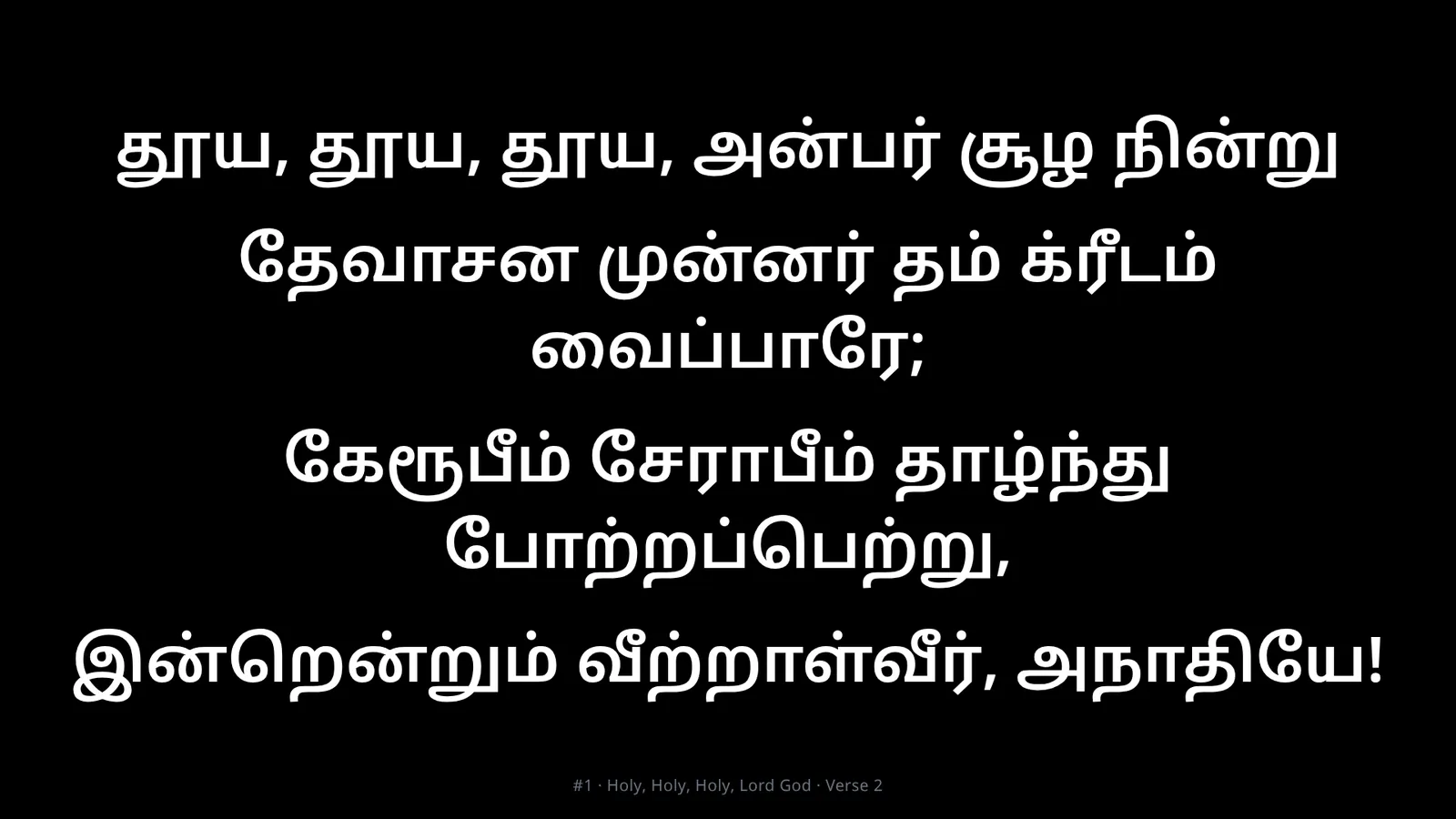
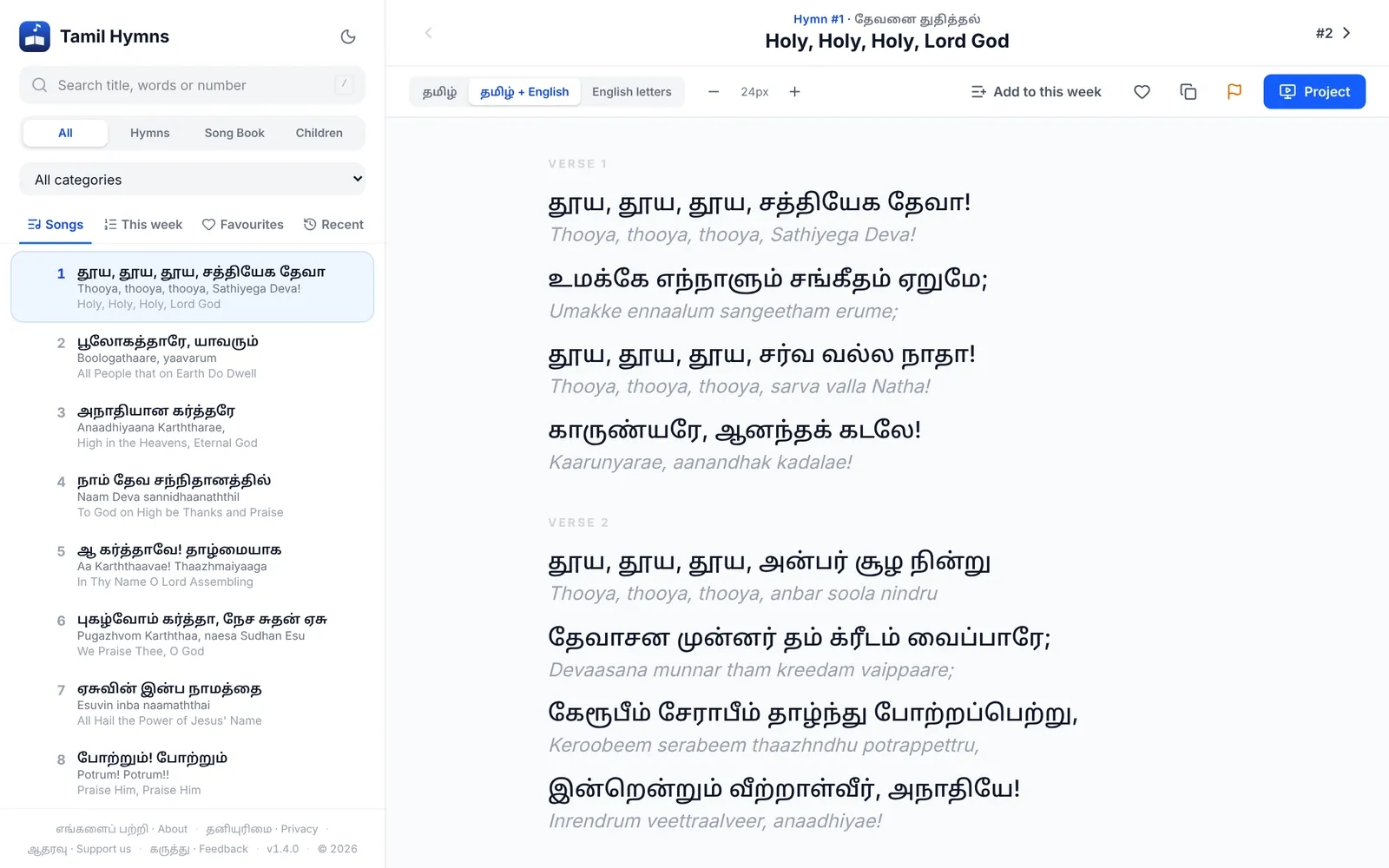
Put the lyrics on the projector straight from the hymnal — no PowerPoint, no typing slides every week, and no internet in the hall. Open Tamil Hymns on the church computer, pick a song and press Project. The congregation sees clean, large lyrics; you see a presenter view with what is on screen, what comes next, and every slide of the song.
Setting up (once)
- Install it on the church computer. Open sdahymn.app in Chrome or Microsoft Edge and click the install icon in the address bar. It opens in its own window and keeps working with no internet."செயலியாக நிறுவுங்கள்" அழுத்தினால் Tamil Hymns தனிச் சாளரத்தில் திறக்கும் செயலியாகும். இணையம் இல்லாத சபைக் கணினியிலும் வேலை செய்யும்.
- Connect the projector as a second screen. On Windows press Win+P and choose Extend (Mac: System Settings → Displays → Extended). The app detects the projector and tells you its name and resolution.
- Allow automatic placement once. When the app asks, allow it — from then on the projector window opens straight onto the projector, full screen, every time you press Project.
During the service
- Choose a song and press Project. The lyrics open in the projector window — click it once to fill the screen if it isn't full screen already.Project அழுத்துங்கள். பாடல் வரிகள் ப்ரொஜெக்டர் சாளரத்தில் தோன்றும். அதை ஒருமுறை கிளிக் செய்தால் முழுத் திரையாகும்.
- Step through the slides. Each song starts with a title slide, then one slide per verse. The chorus is placed after each verse exactly where it is sung, and long verses are split so the text stays large. Press → or Space for the next slide, ← to go back — or click any slide in the strip.
- End cleanly. After the last verse the screen goes black. Press → once more to close the song.பாடல் முடிந்ததும் கருப்புத் திரை வரும்; மீண்டும் → அழுத்தினால் பாடல் மூடப்படும்.
- Line up the next song without anyone seeing. While a song is live, choosing another song does not change the projector. It appears only when you press →. With This week's songs open, N / P jump to the next or previous song in your order of service.காட்டிக்கொண்டிருக்கும்போது பட்டியலில் வேறு பாடலைத் தேர்ந்தெடுத்தால் திரை மாறாது; → அழுத்தும்போது தான் காட்டப்படும்.
Presenter controls
See exactly what the congregation sees, and the slide that comes next.
Blank the projector instantly for prayer or the sermon, then bring the lyrics back where you left off.
Show the transliteration under the Tamil for visitors and young people who can't read Tamil script.
Pick whichever reads best for your projector and hall lighting.
Make the projected text bigger for a large hall or smaller for long verses.
A wireless clicker sends the same keys, so the song leader can move the slides from the front.
Only one screen, or the projector is set to Duplicate? The lyrics fill this screen instead.
Everything runs on the computer. A dropped connection never stops the slides.
Keyboard shortcuts
| → Space | Next slide · அடுத்தது |
| ← | Previous slide · முந்தையது |
| B | Black screen on / off · கருப்புத் திரை |
| T | English letters on the projector on / off |
| N P | Next / previous song |
| 0–9 Enter | Type a song number anywhere and press Enter to open it |
| / | Jump to search |
| F | Add the song to Favourites |
| Esc | End projection |
This week's songs + QR code · இந்த வாரப் பாடல்கள்
The song leader prepares the order of service once. Everyone else gets the same songs on their own phone by scanning a QR code — no hymnals to hand out, no calling out numbers, and nobody has to install anything first.
For the song leader
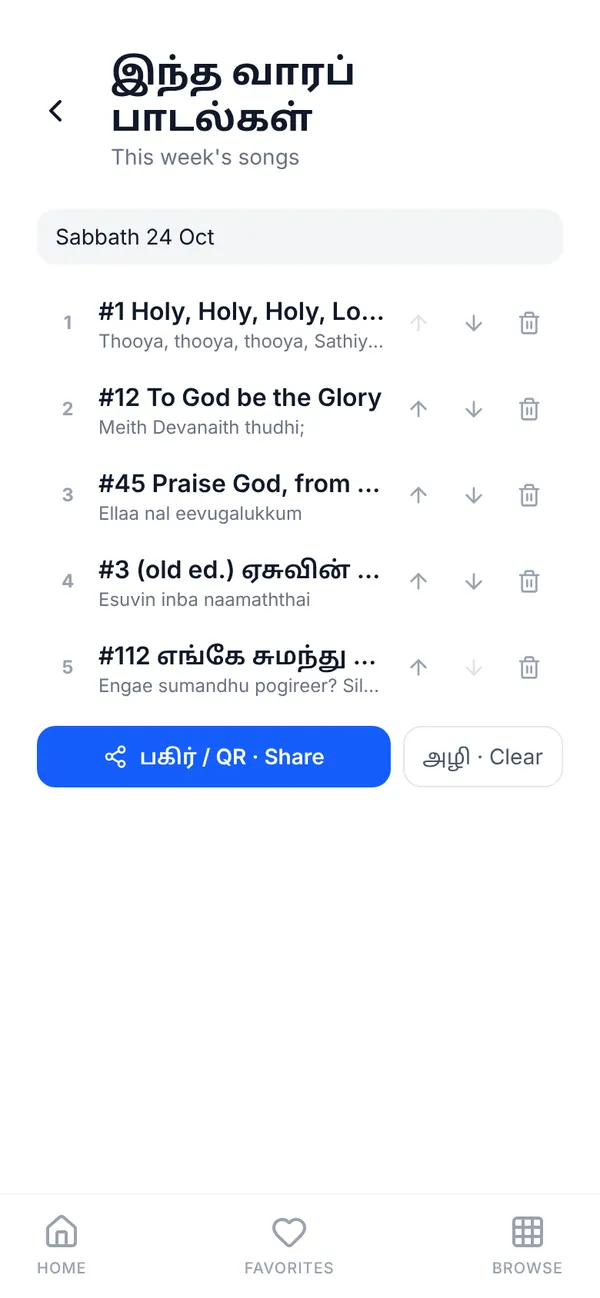
- Add the songs. On a phone, tap the list (+) button on a song. On a computer, press Add to this week.பாடலில் உள்ள பட்டியல் (+) பொத்தானால் ஆராதனைக்கான பாடல்களைச் சேர்க்கலாம்.
- Name and order it. Give the list a title such as “Sabbath 24 Oct” and use the arrows to put the songs in the order they will be sung. Songs from any book can be mixed.
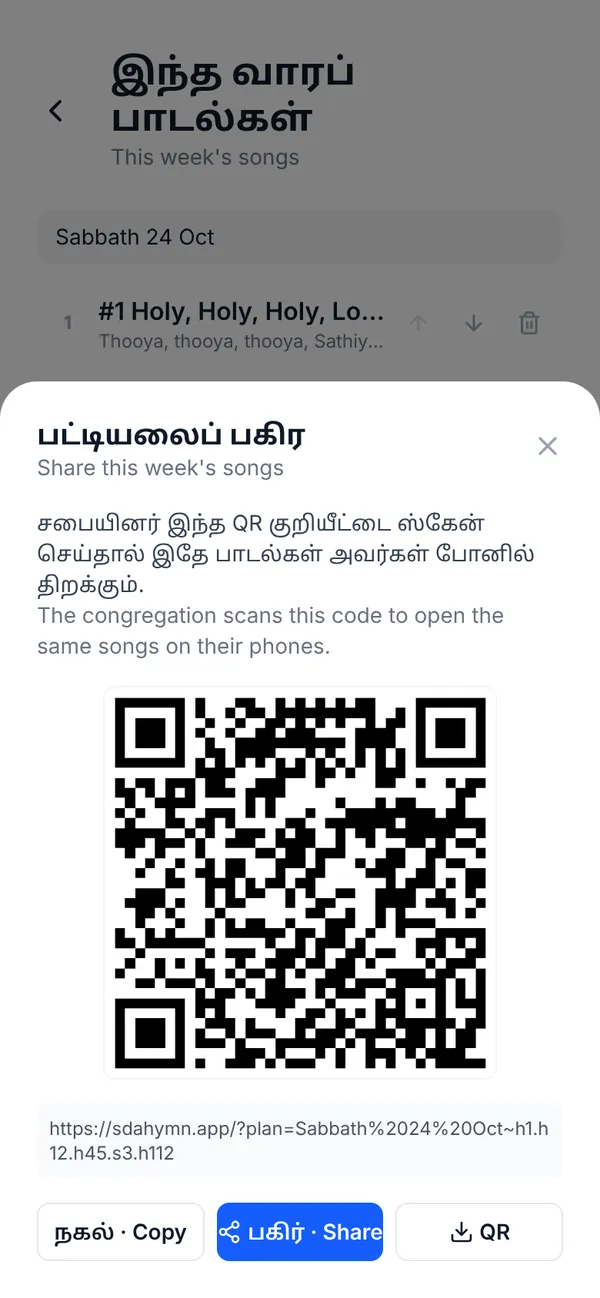
- Press Share / QR. You get a QR code and a link. Copy the link, Share it straight to the church WhatsApp group, or Download the QR image to print in the bulletin or put on a slide before the service."பகிர் / QR" மூலம் சபையினருக்கு அனுப்பலாம்; அவர்கள் QR-ஐ ஸ்கேன் செய்தால் அதே பட்டியல் திறக்கும்.
For the congregation
- Scan the QR code with the phone camera — or tap the link in WhatsApp.சபையினர் இந்த QR குறியீட்டை ஸ்கேன் செய்தால் இதே பாடல்கள் அவர்கள் போனில் திறக்கும்.
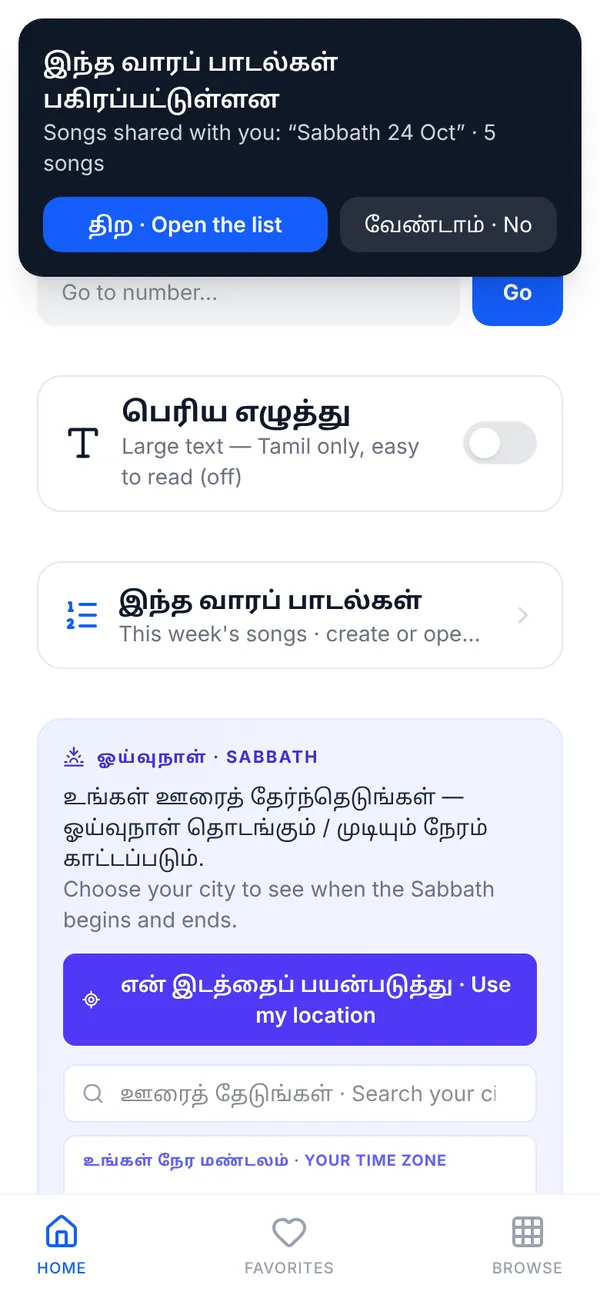
- Tap “Open the list”. The songs appear in the same order the leader set.
- Follow along. Next and previous move through the service list, not the whole hymnal, so everyone stays on the right song. The list stays on the phone, offline, for the whole service.
On the church computer
Open the This week tab and the presenter follows your list: ← → and N / P go song to song in the order of service, so the person running the projector never has to search mid-service. The leader can build the list on a phone and send it to the church computer with the same QR or link.
Everything else · மற்ற அம்சங்கள்
Type a title, any words from the song, the English-letter spelling, or just the number.
One tap switches what you see under each line.
Big Tamil letters only — easy to read for older members.
Keep the songs you sing most one tap away.
A new hymn on the home screen every day.
An optional gentle reminder to pray, with the song and verse of the day.
Sabbath begins and ends at sunset for your city.
Comfortable reading at night and in dim halls.
Books inside
- 565சீயோன் இனிய கீதங்கள் · Songs of Zion
- 35சிறுவர் கீதங்கள் · Children's Songs
- 421திருமறைப் பாடல்கள் · Thirumarai Paadalgal, old & new edition numbers
How to install · செயலியாக நிறுவ
No Play Store or App Store needed. Install it from the browser and it gets its own icon, opens like an app and works offline.
- Open sdahymn.app in Chrome.
- Tap ⋮ (three dots) at the top right.
- Tap “Install app” or “Add to Home screen”, then “Install”.
- Samsung Internet: tap ≡ at the bottom → “Add page to” → “Home screen”.
- Open sdahymn.app in Safari.
- Tap the Share button — the square with an arrow pointing up (bottom on iPhone, top on iPad).
- Scroll down and tap “Add to Home Screen”. Not there? Look under “More” or “Edit Actions”.
- Leave “Open as Web App” on, then tap “Add”.
- Open sdahymn.app in Chrome or Microsoft Edge.
- Click the install icon (a screen with a down arrow) at the right of the address bar.
- No icon? Chrome: ⋮ → “Cast, save and share” → “Install page as app”. Edge: … → “Apps” → “Install this site as an app”.
- Firefox cannot install apps — use Chrome or Edge.
- Open sdahymn.app in Safari.
- In the menu bar choose File → “Add to Dock…”.
- Click “Add”. Tamil Hymns appears in the Dock and Launchpad.
- Chrome and Edge on Mac work the same way as on Windows.
Open it once while online and every song is saved on the device. After that it works with no internet.இணையம் இருக்கும்போது ஒருமுறை திறந்தால் எல்லாப் பாடல்களும் சாதனத்தில் சேமிக்கப்படும். அதன் பிறகு இணையம் இல்லாமலே வேலை செய்யும்.
Questions · கேள்விகள்
Is Tamil Hymns free?
Yes. It is completely free, with no ads, no account and no sign-up. It is an independent ministry project.
Does it work without internet?
Yes. Open it once while online and every song is saved on your device. After that it works with no internet — on your phone, or on a church computer in a hall with no Wi-Fi. New or corrected songs download by themselves whenever you are online.
Is there an Android or iPhone app?
Tamil Hymns is a web app you install straight from the browser — no Play Store or App Store needed. Once installed it has its own icon, opens full screen like any other app and works offline. See “How to install” above.
Can I use it to show song lyrics on the projector in church?
Yes. On a computer, press Project and the lyrics open in a separate full-screen projector window, verse by verse. You control it from the presenter view or with a presentation clicker. It needs no PowerPoint and no internet.
How do I share the songs for Sabbath service with the congregation?
Add the songs to This week’s songs, then press Share / QR. People scan the QR code with their phone camera (or tap the link on WhatsApp) and the same songs open, in the same order, on their own phones.
Which hymn books are included?
சீயோன் இனிய கீதங்கள் (Songs of Zion), சிறுவர் கீதங்கள் (Children’s Songs) and திருமறைப் பாடல்கள் (Thirumarai Paadalgal) — both the old and new edition numbers.
Can I read the songs in English letters?
Yes. Every song has an English-letter transliteration under the Tamil, so people who speak Tamil but cannot read the script can sing along. You can show Tamil only, English letters only, or both.
Is this an official app of the Seventh-day Adventist Church?
No. Tamil Hymns is an independent ministry project. It is not an official app of the Seventh-day Adventist Church.
I found a mistake in a song. How do I report it?
Open the song and tap the report (flag) button at the bottom of the song, or use Feedback at the bottom of the app. Corrections reach every installed copy automatically.
Credits · நன்றி
Sources · மூலங்கள்
- சீயோன் இனிய கீதங்கள் · Songs of Zion hymnal — originally published by Oriental Watchman Publishing House
- Adventist Tamil Tool — hymn data
Thanks · நன்றி
- Christo Samuel — Philippines
- Chinnan Daniel — UK
Designed and built by · வடிவமைத்து உருவாக்கியவர்
- Lokesh Richards — Malaysia
An independent ministry project — not an official app of the Seventh-day Adventist Church.இது ஒரு சுயாதீன ஊழியத் திட்டம்; ஏழாம் நாள் அட்வென்டிஸ்ட் சபையின் அதிகாரப்பூர்வ செயலி அல்ல.